
Native tools that agents can rely on.
English | 简体中文

Opsail is a modular native toolkit that gives software agents small, composable, and reliable capabilities through one command-line entry point. Its Rust crates keep acquisition, browser control, content extraction, and application-specific refits behind explicit boundaries, while the Node.js package makes the same native runtime easy to embed.
- Native and predictable. Long-running work, process ownership, transport, validation, and cleanup are implemented in Rust rather than shell scripts or proxy services.
- Small composable capabilities. Each package owns one clear boundary and can be used independently or through the
opsailCLI. - Agent-ready contracts. Commands expose stable output, structured diagnostics, bounded resource use, and quiet failure modes suitable for automation.
- Explicit trust boundaries. Borrowed browsers, owned processes, remote content, and application refits are validated according to their actual ownership and security model.
- Reversible by design. Refit features are target-validated, idempotent, and removable without modifying the target application bundle.
opsail read turns static HTML or a browser-rendered DOM into readable Markdown, sanitized HTML, or versioned JSON. It accepts URLs, files, stdin, an Opsail-owned isolated Chrome process, or an explicitly borrowed CDP endpoint.
opsail read https://example.com/article
opsail read https://example.com/app --launch
See opsail-read for acquisition, extraction, result contracts, and Rust APIs. See opsail-chrome for Chrome discovery, owned launch, borrowed CDP, navigation, and rendered DOM capture.
opsail refit codex provides a reversible, target-validated Codex adapter. Its first feature adds localized remaining-usage information to the Codex sidebar using the renderer's existing local bridge, without model calls or changes to the application bundle.
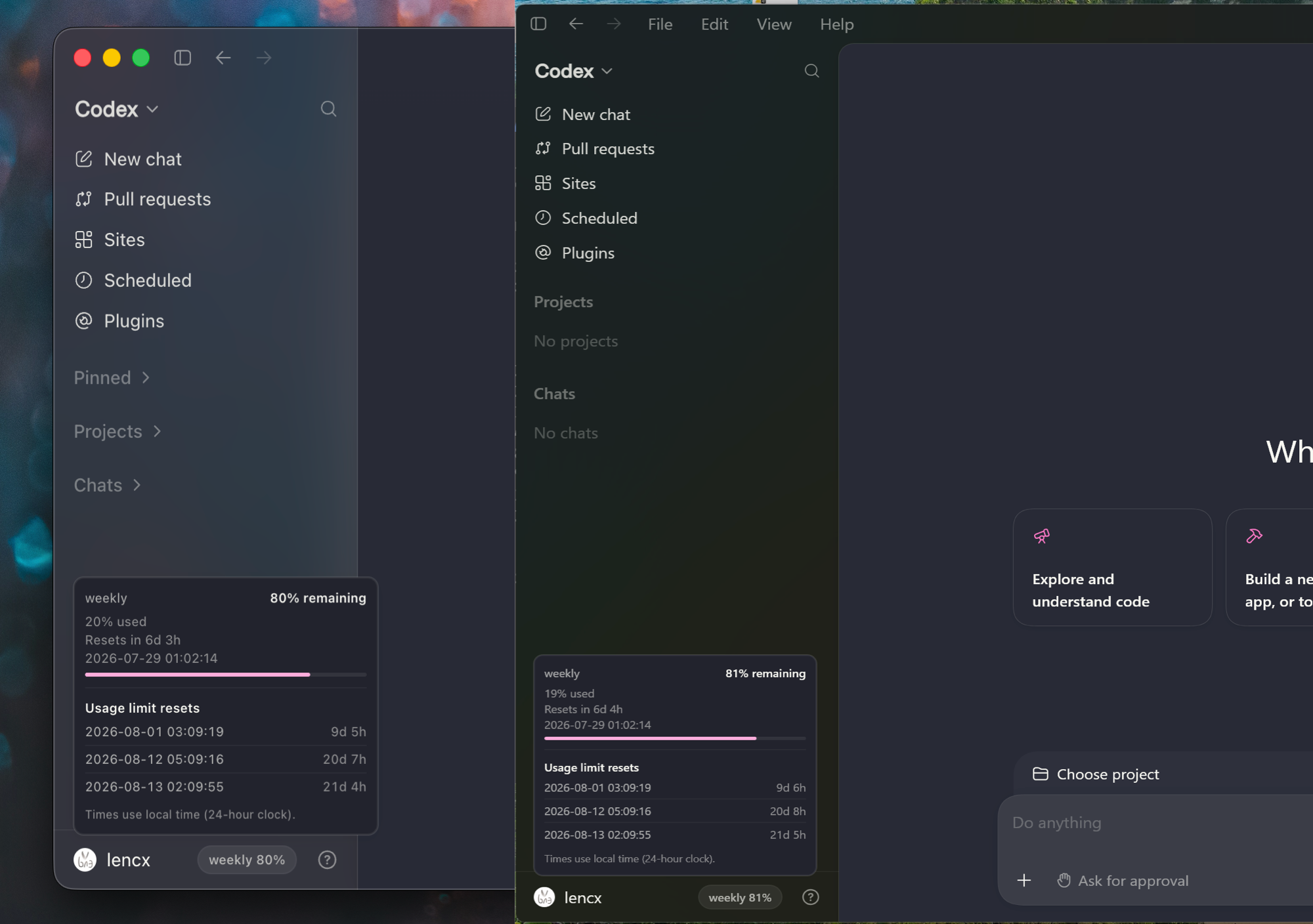
The refit target is implemented for the signed macOS application and the current-user Microsoft Store application on Windows; Linux is not supported. Windows release targets are x64 and ARM64; no 32-bit x86/ia32 artifact is provided. Opsail resolves the exact package family and AUMID, derives the application executable from the installed signed manifest (currently app\ChatGPT.exe), and protects its Local AppData state with an explicit current-user-and-SYSTEM DACL. Native CI and npm packaging targets are configured for both Windows architectures. A Windows 11 ARM64 canary against the installed Store application validates package activation, listener ownership, renderer discovery, bridge injection, persistence, and cleanup; a real installed-application x64 canary remains pending, while hosted CI covers the no-installed-package path.
opsail refit codex enable usage --launchPersistent mode starts a validated background manager and returns after its health report; --once remains ephemeral and --foreground is available for diagnostics.
Interactive waits show their current validated lifecycle stage on stderr, while the final machine-readable JSON remains isolated on stdout.
See opsail-refit-codex for supported targets, attach and launch modes, lifecycle semantics, renderer updates, localization, security checks, and library APIs.
| Package | Responsibility | Documentation |
|---|---|---|
opsail |
Native CLI and unified command entry point | Run opsail --help |
opsail-read |
Content acquisition, extraction, sanitization, and result contracts | README |
opsail-chrome |
Cross-platform Chrome lifecycle, CDP transport, and rendered capture | README |
opsail-refit-codex |
Validated Codex refit lifecycle, usage semantics, localization, and UI payload | README |
opsail for Node.js |
ESM API and native binary distribution | README |
Install the CLI from crates.io:
cargo install opsailInstall the Node.js API and CLI from npm:
npm install opsailPrebuilt native binaries are available from GitHub Releases. Agent hosts can use the reviewed bootstrap-opsail Skill to reconcile the CLI and runtime Skill with explicit approval.
- Content extraction and result model
- Chrome and CDP integration
- Codex sidebar refit
- Node.js API and packaging
- Development and contribution guide
Apache License 2.0